Control Muestra HTML
Para mostrar las imágenes usamos un control visor HTML.
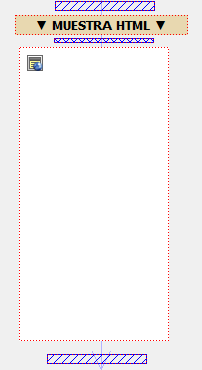
La imagen de Fondo se carga en el PRE_INIT del formulario con el manejador CARGAR_FONDO.
Usamos la función loadResource() de la clase VImagen para obtener un objeto oImagen del que obtenemos la cadena Base64 mediante la clase VByteArray.
CARGAR_FONDO
importClass("VImage");
importClass("VByteArray");
var oByteArray = new VByteArray()
var oImagen = new VImage();
// Obtenemos el fondo de un recurso gráfico del proyecto
var cIDRef = theApp.mainProjectInfo().alias() + "/IMG_FONDOAZUL"
oImagen.loadResource(cIDRef)
if (oImagen) {
// Obtenemos el ByteArray desde el objeto Image
oByteArray = oImagen.saveToData("PNG",0)
// Pasamos el contenido del ByteArray a Base64
var oByteArrayBase64 = oByteArray.toBase64()
// Obtenemos el String para guardarlo en la variable local
var cBase64 = oByteArrayBase64.toLatin1String()
theRoot.setVar("CFONDO_B64",cBase64)
}
El evento Timer del formulario ejecutará el manejador MOSTRAR_IMAGENES.
MOSTRAR_IMAGENES
var cHTML = "", cVestidoB64 = ""
var oForm = theRoot.dataView();
var oHTML = oForm.control("CTR_HTML")
// Paramos el Timer que ha desencadenado el Evento de refresco
oForm.stopTimer()
cVestidoB64 = theRoot.varToString("CVESTIDO_B64");
theRoot.setVar("CVESTIDO_VISIBLE",(cVestidoB64.length > 0 ? "visible" : "hidden"))
cHTML = get_html()
// Establecemos el contenido del Control HTML
oHTML.setSourceCode(cHTML)
// Tenemos que delegar los clicks siempre después de fijar el código HTML, de lo contrario no funciona
oHTML.setLinkDelegationPolicy(VCWebView.DelegateAllLinks);
function get_html() {
// Construimos el código HTML. El Slash al final de cada línea nos permite introducir un literal en varias líneas
return '\
<!DOCTYPE html>\
<html>\
<head>\
<meta http-equiv="Content-Type" content="text/html; charset=utf-8" />\
<title>Recortables</title>\
<style type="text/css">\
body { overflow:hidden; }\
html { overflow:hidden; }\
.recortable {\
position: absolute;\
height: 300px;\
width: 150px;\
left: 0px;\
top: 0px;\
}\
</style>\
</head>\
<body>\
<!-- Tenemos 3 capas superpuestas -->\
<div id="capa_fondo" class="recortable"><img src="data:image/png;base64,' + theRoot.varToString("CFONDO_B64") + '"/></div>\
<div id="capa_modelo" class="recortable"><a href="#"><img src="data:image/png;base64,' + theRoot.varToString("CNENE_B64") + '"/></a></div>\
<div id="capa_vestido" class="recortable"><a href="#"><img src="data:image/png;base64,' + theRoot.varToString("CVESTIDO_B64") + '" /></a></div>\
<script>\
document.getElementById("capa_vestido").style.visibility="' + theRoot.varToString("CVESTIDO_VISIBLE") + '"; \
</script>\
</body>\
</html>\
'
}
Created with the Personal Edition of HelpNDoc: Easy EPub and documentation editor